

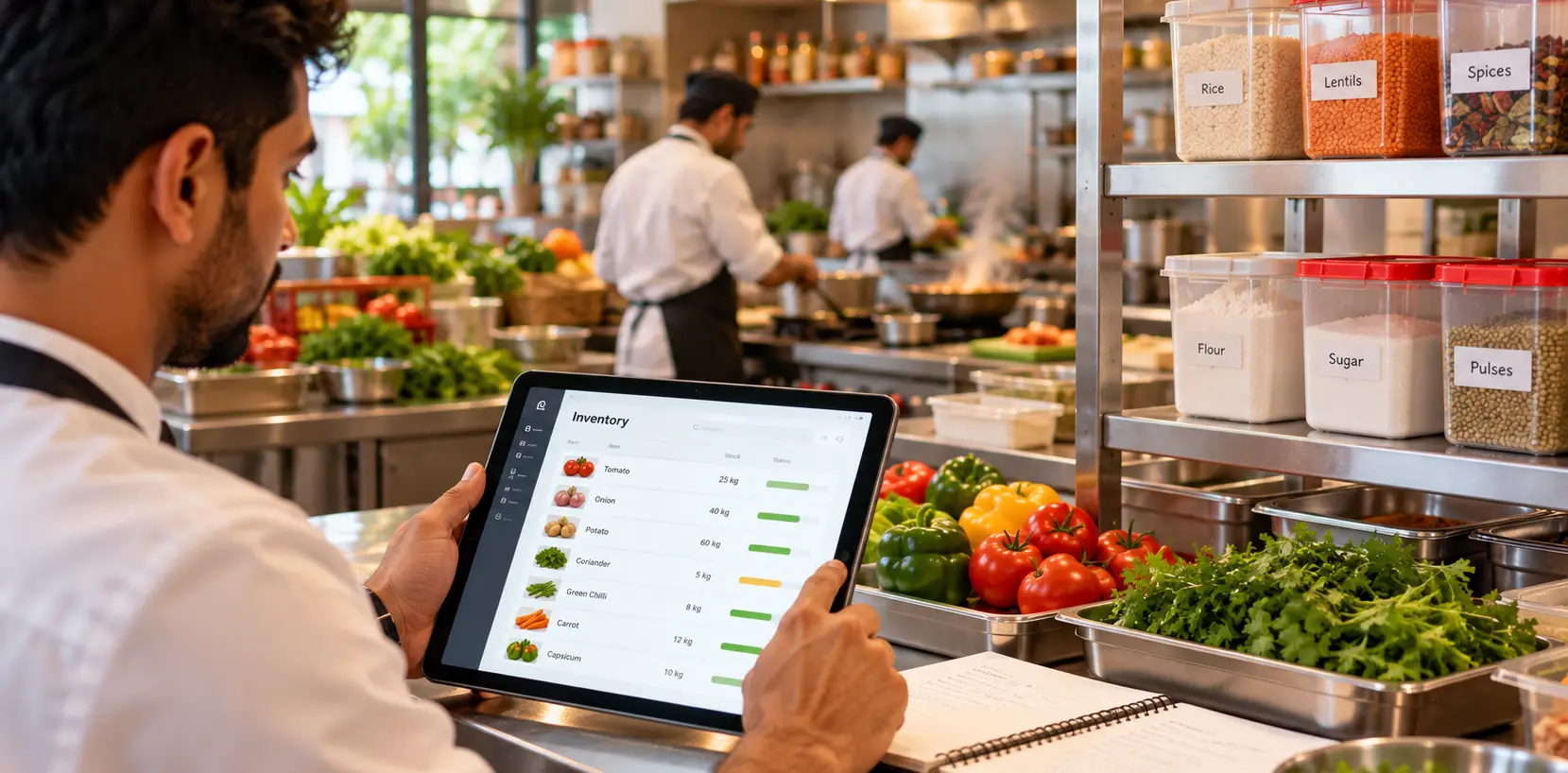
Managing restaurant inventory effectively is essential for controlling food costs, reducing waste, and maintaining smooth kitchen operations. Restaurant inventory management software helps restaurant owners track ingredients, monitor stock levels, manage supplier purchases, calculate recipe costs, and make informed purchasing decisions.
Whether you operate a small cafe, a full-service restaurant, or a multi-outlet business, the right inventory management system can improve stock visibility and simplify daily operations. This guide explains the essential features, benefits, best practices, and selection criteria for choosing the right solution.

What Is Restaurant Inventory Management Software?
Restaurant inventory management software is a digital solution that helps restaurants organize ingredient records, track stock movements, record purchases, monitor wastage, and calculate food costs. Instead of relying on handwritten registers or disconnected spreadsheets, restaurant managers can use centralized records to understand stock availability and purchasing requirements.
For example, a restaurant selling biryani needs to monitor rice, cooking oil, spices, vegetables, and other ingredients. With recipe-based inventory tracking, the system can estimate ingredient consumption from recorded sales and configured recipes.
The accuracy of these calculations depends on recipe configuration, recorded purchases, stock adjustments, and consistent operational procedures.
Why Is Inventory Management Important for Restaurants?
Inventory directly affects restaurant profitability, kitchen productivity, and customer satisfaction. Excess purchasing can lead to spoilage, while insufficient stock can interrupt food preparation and disappoint customers.
Using restaurant inventory management software can help businesses:
- Track ingredients and available stock quantities.
- Reduce unnecessary purchases and overstocking.
- Identify expired, damaged, or wasted ingredients.
- Monitor food costs and recipe profitability.
- Maintain purchase and supplier records.
- Receive low-stock alerts for essential ingredients.
- Improve coordination between kitchen and purchasing teams.
- Make purchasing decisions using historical consumption data.
Restaurants should also follow appropriate food storage, hygiene, and stock rotation procedures. For authoritative guidance, consult the Food Safety and Standards Authority of India (FSSAI).
How Does Restaurant Inventory Management Software Work?
A typical inventory management workflow covers ingredient setup, purchasing, stock receiving, recipe configuration, consumption tracking, and inventory reconciliation.
1. Create Ingredient and Stock Records
Add inventory items such as rice, flour, vegetables, dairy products, meat, spices, beverages, and packaging materials. Record units of measurement, opening stock, purchase prices, and minimum stock levels where applicable.
2. Manage Supplier Purchases
Record supplier details, purchase orders, received quantities, delivery dates, and ingredient prices. Comparing ordered quantities with delivered stock helps identify discrepancies and maintain accurate purchasing records.
3. Configure Recipes and Ingredient Quantities
Connect menu items with their ingredient requirements. For example, a biryani recipe may include specified quantities of rice, oil, spices, vegetables, and other ingredients per serving.
Accurate recipe configuration helps the software estimate ingredient consumption and calculate the expected cost of preparing each dish.
4. Track Ingredient Consumption
When inventory is connected to restaurant POS software, recorded sales can be used to estimate the ingredients consumed by sold menu items. Managers should also record complimentary orders, staff meals, spoilage, preparation losses, and other stock adjustments.
5. Set Low-Stock Alerts
Configure minimum stock thresholds for important ingredients. Alerts can help restaurant managers identify replenishment needs before stock shortages affect kitchen operations.
6. Review Inventory Reports
Analyze purchase histories, stock balances, recipe costs, wastage, and inventory discrepancies. Regular reviews help identify unusual consumption patterns and opportunities to improve purchasing decisions.
Essential Features of Restaurant Inventory Management Software

Real-Time Stock Tracking
Maintain centralized records of ingredient quantities, stock receipts, transfers, consumption, and adjustments. Actual stock accuracy depends on timely data entry and reconciliation.
Recipe and Food Costing
Calculate estimated ingredient costs for individual menu items using recipe quantities and purchase prices. Recipe costing helps managers understand how changing ingredient prices affect food costs.
Purchase and Supplier Management
Organize supplier information, track purchase orders, compare ingredient prices, and maintain purchasing histories for better cost control.
Low-Stock Notifications
Set minimum quantities for essential ingredients and receive alerts when stock falls below the configured threshold.
Food Wastage Tracking
Record expired products, spoiled ingredients, preparation losses, and other wastage. Reviewing these records helps identify recurring problems and improve kitchen practices.
POS Integration
Integrating inventory with restaurant billing software can connect menu sales with recipe-based ingredient consumption. This reduces duplicate data entry and provides better visibility into expected stock usage.
Multi-Outlet Inventory Management
Restaurants with multiple locations may need branch-level stock records, inter-outlet transfers, centralized purchasing, and consolidated inventory reports.
Inventory Reports and Analytics
Reports covering purchases, stock valuation, ingredient consumption, and wastage help restaurant owners evaluate operational efficiency and identify opportunities for improvement.
Manual Inventory Management vs. Inventory Software
Manual stock registers and spreadsheets may work for small operations with limited ingredients. However, as a restaurant grows, maintaining consistent records across purchases, recipes, sales, and stock adjustments becomes more difficult.
| Feature | Manual Inventory | Inventory Software |
|---|---|---|
| Stock tracking | Manual entries and calculations | Centralized digital records |
| Low-stock monitoring | Manual checking | Automated alerts when supported |
| Recipe costing | Manual calculations | Digital recipe-based costing |
| Purchase history | Separate records or spreadsheets | Centralized purchase records |
| Wastage tracking | Manual documentation | Digital wastage records |
| Reporting | Time-consuming calculations | Faster reporting and analysis |
| Multi-outlet management | Multiple separate records | Consolidated reporting when supported |
Benefits of Restaurant Inventory Management Software
Better Food Cost Control
Tracking ingredient prices and recipe quantities helps restaurant managers estimate food costs, identify expensive menu items, and evaluate potential pricing or portion adjustments.
Reduced Food Waste
Inventory visibility, expiry monitoring, and wastage records help restaurants make more informed purchasing and storage decisions. Results depend on accurate records and consistent kitchen practices.
Fewer Unexpected Stockouts
Low-stock alerts and purchasing histories help managers plan replenishment and reduce the risk of essential ingredients running out during busy service periods.
More Efficient Purchasing
Historical consumption and purchase data can support demand planning, improve replenishment decisions, and reduce unnecessary inventory accumulation.
Improved Operational Visibility
Centralized records allow managers to review stock movements and purchasing activity without relying entirely on separate registers or repeated manual checks.
How POS Integration Improves Restaurant Inventory Management
A restaurant POS system records orders, bills, and payments, while inventory software manages ingredients, stock movements, and purchasing. When these systems are integrated, recorded menu sales can be connected with recipe-based stock consumption.
For example, selling ten portions of a dish with a configured recipe allows the software to estimate the ingredients required for those ten portions. Managers can compare this theoretical consumption with physical stock and investigate discrepancies.
For restaurants evaluating an integrated solution, explore the Restrobite restaurant management platform to learn about its published POS, kitchen operations, inventory, and reporting capabilities.
How to Choose the Right Restaurant Inventory Management Software
1. Evaluate POS Integration
Choose a solution that can connect sales records with inventory consumption where appropriate. Ask how the system handles cancelled orders, complimentary items, returns, and stock adjustments.
2. Check Recipe Costing Capabilities
Verify that the software supports ingredient quantities, measurement conversions, recipe changes, and updated supplier prices.
3. Review Purchasing Features
Check whether you can manage supplier records, purchase orders, received quantities, and purchase costs within the same system.
4. Assess Wastage and Reconciliation
Make sure the system can record spoilage, expired stock, preparation losses, and differences between expected and actual stock.
5. Consider Multi-Outlet Requirements
If your restaurant operates multiple branches, assess branch-level inventory, stock transfers, centralized purchasing, and consolidated reporting.
6. Compare Pricing and Support
Review subscription fees, included features, terminal limits, onboarding costs, support availability, and additional charges before selecting a plan. Visit the Restrobite pricing page to review its published plans.
7. Test Before Purchasing
Use a product demonstration or trial to test your actual menu, ingredient units, recipe configuration, purchase workflow, and stock reconciliation process.
Best Practices for Restaurant Inventory Management
Software alone cannot guarantee accurate inventory. Restaurants need consistent procedures and clear employee responsibilities to keep digital records aligned with physical stock.
- Conduct regular physical stock counts.
- Apply FIFO (First In, First Out) or FEFO (First Expire, First Out) where appropriate.
- Standardize recipes and portion sizes.
- Record purchases and deliveries promptly.
- Document wastage, complimentary items, and stock adjustments.
- Review supplier prices and purchasing patterns regularly.
- Set appropriate minimum stock levels for essential ingredients.
- Restrict inventory adjustments to authorized employees.
- Compare expected ingredient consumption with physical stock.
- Train employees to follow consistent inventory procedures.
Restaurant Inventory Management with Restrobite
Restrobite offers a restaurant management platform that brings together POS billing, kitchen order tickets, inventory, and reporting. Its published platform information describes inventory capabilities such as stock tracking, low-stock alerts, purchase records, ingredient consumption, and recipe costing.
Before choosing a plan, confirm which inventory features are included and whether they match your restaurant's purchasing, recipe costing, stock adjustment, and reporting requirements.
Explore the Restrobite platform and compare the available options on the pricing page to determine whether the system fits your restaurant's operational needs.